

Norway E-Invoicing and ERP Solutions for Business Growth

Automate Norway E-invoicing
Get Started With QuickBooks Enterprise
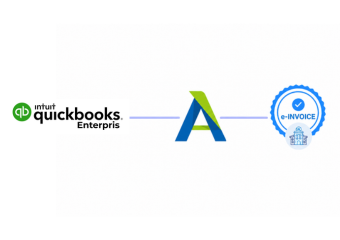
Advintek extends QuickBooks Enterprise with connected e-invoicing workflows, supporting structured processing while preserving established accounting practices.
Powerful features

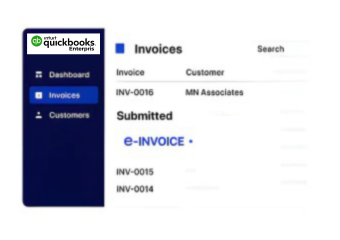
Make QuickBooks Enterprise Billing More Usable

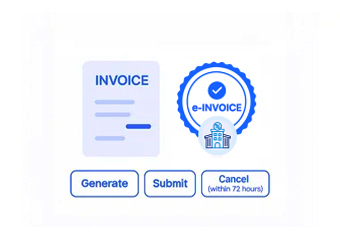
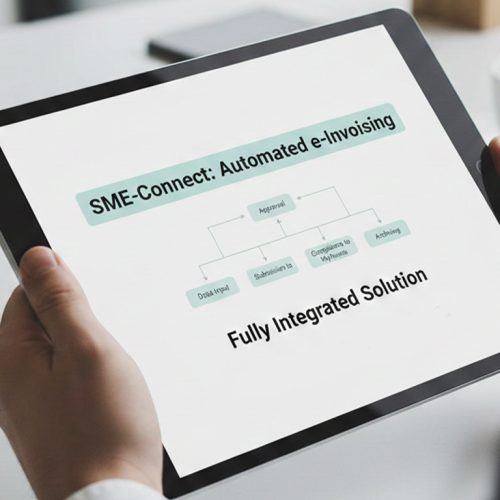
From Enterprise Billing To Digital Delivery

  • Choose Completed Invoices: Determine which QuickBooks Enterprise billing records are ready to enter the digital invoicing process.
  • Assemble Invoice Content: Bring together customer, address, item, quantity, tax, and transaction information from applicable records.
  • Match Required Information: Align available Enterprise data with the fields needed by the configured invoice workflow.
  • Resolve Data Gaps: Detect missing or inconsistent information before an invoice proceeds toward digital delivery.
  • Prepare For Exchange: Convert relevant billing information into the structured form required by the connected process.
  • Return Processing Information: Make available invoice statuses or responses accessible alongside the originating Enterprise activity.
Affordable pricing for SMEs

Simple, Transparent Pricing

Starting from as low as

RM 20

A Practical Extension For QuickBooks Enterprise

Advintek adds digital invoice processing around QuickBooks Enterprise rather than interfering with everyday billing operations, helping businesses create a clearer connection between accounting information and downstream invoicing activities.

What is Advintek's e-invoice connector for Zoho Books
sap e invoicing for compliance sap einvoicing sap einvoice

Why Enterprise Data Supports The Invoice Journey

  • Customer Information: QuickBooks Enterprise customer records provide important identification and billing context for invoices moving into connected processing workflows.
  • Product and Service Details: Existing item information can contribute relevant descriptions, quantities, and values during invoice preparation.
  • Tax Information: Applicable tax details maintained with billing transactions can provide supporting information for downstream invoice processing.
  • Transaction References: Invoice numbers, dates, accounts, and related references help preserve context between accounting records and processed documents.
  • Business Rules: Configured processing logic can use available Enterprise information to determine how invoice records should be prepared.
  • Processing Feedback: Available responses can provide additional visibility into what happened after invoice information left the accounting workflow.
Powerful features

Capabilities That Extend QuickBooks Enterprise

Built for UAE Businesses Using QuickBooks

Prepare QuickBooks Enterprise For Norwegian Requirements

Advintek can support configured invoice workflows around applicable Norwegian invoicing requirements, allowing QuickBooks Enterprise to remain the source of relevant billing information.

Enable Norway E-Invoicing With QuickBooks Enterprise

Compliance Built Around Accounting Workflows

Give QuickBooks Enterprise a structured path for Norwegian digital invoicing.

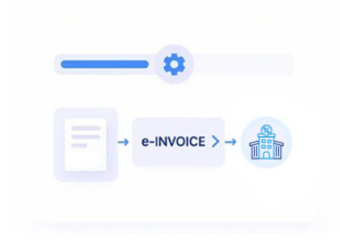
Advintek connects billing data through workflows.

Ready e-Invoice System

0 % Skatteetaten

FAQs About QuickBooks Enterprise e-Invoicing in Norway

Which QuickBooks Enterprise information is useful for invoice preparation?

Customer details, billing records, item information, quantities, tax data, invoice references, and transaction values can provide useful source information. The specific data used depends on the business configuration and the invoice workflow established for Norwegian operations.

Yes. Relevant recurring or regularly generated invoices can provide source information for configured digital processing. This can help businesses establish a more consistent route from recurring QuickBooks Enterprise billing activity into downstream invoice preparation and exchange.

Configured checks can identify missing or inconsistent information before an invoice advances through later processing stages. This gives finance teams an opportunity to review the originating QuickBooks Enterprise record and address relevant information before continuing.

Relevant invoice identifiers and transaction references can be retained within the connected workflow, helping finance teams understand the relationship between processed invoice information and the QuickBooks Enterprise activity from which it originated.

The connected workflow can be configured around applicable billing processes, customer scenarios, and transaction information used by the business. This allows relevant QuickBooks Enterprise data to be handled according to the requirements of the configured Norwegian invoicing process.