Norway E-Invoicing and ERP Solutions for Business Growth

E-Invoicing Through Microsoft Power Automate
Start Compliance Setup Automate Norwegian Invoice Workflows
Advintek connects Microsoft Power Automate with structured e-invoicing workflows for automated invoice processing.
Powerful features

Compliance Built for Automated Invoice Operations

Affordable pricing for SMEs

Simple, Transparent Pricing

Starting from as low as

RM 20

How Microsoft Power Automate Handles E-Invoice Workflows

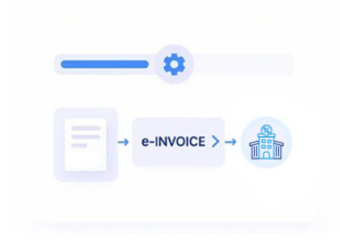
  • Trigger Invoice Workflows: Start configured invoice processes when Microsoft Power Automate receives relevant business events or transaction information.
  • Collect Required Information: Gather invoice, customer, tax, and transaction data from connected business applications.
  • Transfer Data Into Advintek: Send required invoice information from Microsoft Power Automate into Advintek for processing.
  • Validate Invoice Information: Check required fields and mapped information before electronic invoice processing continues.
  • Process Structured Invoices: Move validated invoice data through configured electronic invoicing workflows for downstream processing.
  • Return Processing Responses: Send invoice statuses and processing results back through connected Microsoft Power Automate workflows.

What Advintek Adds To Microsoft Power Automate

Advintek extends Microsoft Power Automate workflows with structured e-invoicing capabilities, connecting business events and invoice data with validation, processing, and status tracking.

e invoicing in sap, einvoicing in sap einvoicing sap
sap e invoicing for compliance sap einvoicing sap einvoice

Why Microsoft Power Automate Works Well For E-Invoicing

  • Workflow Automation: Microsoft Power Automate can initiate invoice-related actions from defined business events, helping organizations reduce repetitive manual workflow steps.
  • Connected Data Movement: Advintek allows relevant invoice information to move between Microsoft Power Automate and electronic invoicing processes through configured data flows.
  • Flexible Process Design: Organizations can structure invoice workflows around existing automation logic, business applications, approval steps, and operational requirements.
  • Improved Validation: Validation stages can be introduced before invoice processing, helping identify incomplete or inconsistent information earlier in the workflow.
  • Better Process Visibility: Processing responses can return through connected workflows, giving teams clearer visibility into invoice progress and outcomes.
  • Scalable Automation Framework: Microsoft Power Automate provides a workflow foundation that can coordinate invoice processing across connected applications and business processes.
Powerful features

Complete Control Over Norway E-Invoicing Workflows in One Platform

Built for UAE Businesses Using QuickBooks

How Microsoft Power Automate Supports Connected Compliance Workflows

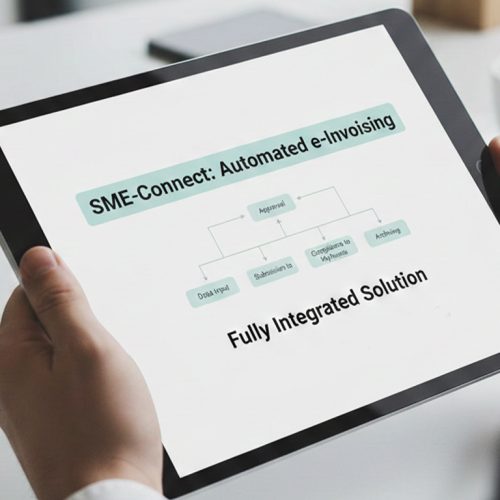
Microsoft Power Automate coordinates business processes while Advintek handles structured e-invoicing activities, helping connect workflow triggers, invoice preparation, processing, and response tracking.

Automate Your Workflows Into Action

With Smarter E-Invoicing In Norway

Automate invoice workflows seamlessly with Microsoft Power Automate and Advintek for Norway e-invoicing.

Keep electronic invoice processes moving with clarity.

Ready e-Invoice System

0 % Skatteetaten

Frequently Asked Questions Power Automate e-Invoicing Norway

How does Microsoft Power Automate support e-invoicing automation?

Microsoft Power Automate can coordinate invoice-related workflows across connected applications and business processes. Advintek adds structured e-invoicing capabilities, allowing relevant invoice information to move through configured validation, preparation, processing, and response workflows while Power Automate continues managing the surrounding business automation.

Advintek provides the electronic invoicing processing layer within connected Microsoft Power Automate workflows. Relevant invoice information can be transferred for structured preparation and validation, processed through configured e-invoicing workflows, and returned with processing responses that Power Automate can use for subsequent workflow actions.

Yes. Microsoft Power Automate can initiate configured workflows when defined business events, application updates, or transaction conditions occur. Advintek can then receive relevant invoice information for electronic processing, helping organizations automate repetitive invoice workflow steps instead of relying entirely on manual initiation.

Processing responses from Advintek can be returned into connected Microsoft Power Automate workflows. These responses can support subsequent workflow actions, notifications, monitoring, or record updates according to the organization’s configured processes, helping teams maintain greater visibility over electronic invoice processing activity.

Using Microsoft Power Automate with Advintek creates an automated route between business applications and electronic invoice processing. Organizations can coordinate workflow triggers, data transfers, validation stages, processing activities, and responses while continuing to use Power Automate as the central workflow automation environment for connected business processes.