What Microsoft Dynamics 365 Enables For Invoicing
Microsoft Dynamics UAE FTA E-Invoicing Complete User Guide
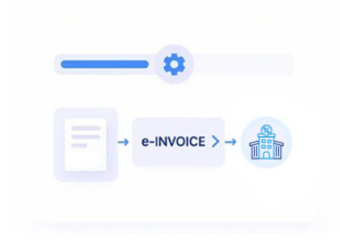
How Microsoft Dynamics 365 Invoice Data Gets Processed
- Identify Relevant Customer Invoices: Locate completed billing transactions within Dynamics 365 that require electronic invoice processing.
- Collect Associated ERP Details: Retrieve customer, sales, tax, accounting, and transaction information from applicable Dynamics 365 records.
- Map Data Into Required Fields: Align relevant ERP information with fields needed for structured electronic invoice preparation.
- Validate Invoice Information: Examine invoice content for missing or inconsistent information before electronic processing proceeds.
- Submit Through Configured Workflows: Route validated invoice information through configured electronic invoicing processes for further handling.
- Record Processing Notifications: Capture available responses and relate invoice processing information to the original Dynamics 365 records.
What Advintek Adds To Microsoft Dynamics 365
Advintek extends Microsoft Dynamics 365 with structured invoice preparation, configurable validation, electronic processing, and response handling designed around applicable Norwegian invoicing workflows.
- Connects Microsoft Dynamics 365 billing information
- Structures data for electronic invoices
- Flags incomplete invoice information
- Associates responses with ERP records
Why Microsoft Dynamics 365 Fits Norwegian E-Invoicing
- Comprehensive Financial Data: Microsoft Dynamics 365 provides financial, customer, sales, tax, and billing information that can support structured electronic invoice workflows.
- Connected Business Processes: Sales and finance activities can provide coordinated transaction information for invoice preparation and subsequent electronic processing.
- Flexible ERP Configuration: Microsoft Dynamics 365 supports configurable business processes, allowing relevant invoice information to participate in connected electronic invoicing workflows.
- Norwegian Regulatory Alignment: Advintek can configure invoice processing around applicable Norwegian requirements and relevant considerations associated with Skatteetaten.
- Built-In Data Visibility: Finance teams can reference invoice information alongside related ERP transactions when reviewing billing activity and processing results.
- Structured Integration Approach: Advintek organizes applicable Dynamics 365 information into structured electronic invoice workflows while preserving the ERP’s central financial role.
Microsoft Dynamics 365 Integration Functions
Financial Field Transformation
Converts relevant Dynamics 365 financial fields into structured electronic invoice information for processing.
Invoice Compliance Validation
Examines configured invoice fields for completeness and accuracy before electronic processing begins.
Processing Event Capture
Records invoice processing events alongside corresponding Dynamics 365 transactions for finance team review.
How Microsoft Dynamics 365 Supports Norwegian Invoice Processing
Microsoft Dynamics 365 supplies financial and billing information, while Advintek structures, validates, and processes invoice data according to applicable Norwegian invoicing requirements.
- Identifies Relevant Microsoft Dynamics 365 Invoices
- Validates Norwegian Invoice Information
- Generates Structured Electronic Invoice Data
- Captures Processing Status Information
Activate Norwegian E-Invoicing Workflows
Advintek connects Microsoft Dynamics 365 with structured Norwegian e-invoicing processes for modern finance operations.
Improve invoice handling through integrated digital workflows.
Ready e-Invoice System
FAQs About Microsoft Dynamics 365 E-Invoicing In Norway
Which Microsoft Dynamics 365 modules can provide invoice information?
Depending on the implementation, relevant information can originate from Microsoft Dynamics 365 Finance, Sales, Supply Chain Management, or other connected business functions. Advintek can work with applicable transaction data required for electronic invoice preparation, subject to the organization’s configured Dynamics 365 processes and integration architecture.
How are customer and tax details handled during invoice preparation?
Customer, billing, and applicable tax information from Microsoft Dynamics 365 can be mapped to corresponding electronic invoice fields. Advintek can apply configured validation before processing, helping identify incomplete or inconsistent information and supporting a more controlled transition from ERP transaction data to structured invoice documents.
Does the integration require changes to Microsoft Dynamics 365 workflows?
The integration can be designed around existing Microsoft Dynamics 365 processes, depending on the organization’s technical configuration and business requirements. Advintek adds electronic invoicing capabilities around relevant ERP data, allowing established sales, billing, and finance operations to continue within their configured Dynamics 365 environment.
Can invoice information from multiple Microsoft Dynamics 365 processes enter one workflow?
Yes, relevant information from connected Microsoft Dynamics 365 business processes can participate in a unified electronic invoicing workflow when supported by the implementation. Advintek can organize applicable transaction information, apply configured mappings and checks, and process invoice data according to the organization’s defined Norwegian invoicing requirements.
What happens to invoice information after electronic processing?
Available processing responses can be captured and associated with the relevant invoice information. This allows finance teams to reference electronic processing activity alongside Microsoft Dynamics 365 transaction records when reviewing invoice status, investigating exceptions, or examining the outcome of individual electronic invoice transactions.