

Norway E-Invoicing and ERP Solutions for Business Growth

Norwegian ERP QuickBooks Desktop
Get Started Connect QuickBooks Desktop With Norwegian Invoicing
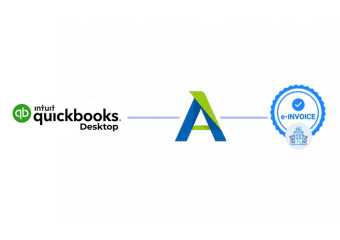
Advintek connects QuickBooks Desktop with e-invoicing workflows, helping Norwegian businesses prepare, process, and monitor digital invoices efficiently.
Powerful features

Compliance Built Around Desktop Accounting Workflows

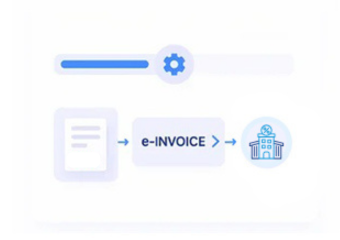
How QuickBooks Desktop Moves Into E-Invoice Processing

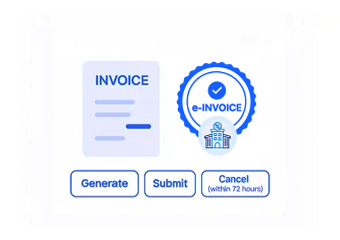
  • Identify Customer Invoices: Select completed billing records from QuickBooks Desktop for digital invoice preparation and processing.
  • Collect Relevant Details: Gather customer, invoice, item, tax, and transaction information from applicable desktop records.
  • Prepare Invoice Information: Organize selected QuickBooks Desktop fields into structured information for the configured workflow.
  • Check Data Quality: Review invoice information for missing or inconsistent details before further digital processing.
  • Route Prepared Data: Move validated invoice information through configured digital invoicing workflows for processing and exchange.
  • Record Processing Results: Associate available statuses and responses with corresponding QuickBooks Desktop invoice records.
Affordable pricing for SMEs

Simple, Transparent Pricing

Starting from as low as

RM 20

What Advintek Brings To QuickBooks Desktop

Advintek provides a connected layer around QuickBooks Desktop, helping businesses organize billing information, prepare structured invoices, support validation, and follow digital processing without disrupting established accounting activities.

What is Advintek's e-invoice connector for Zoho Books
sap e invoicing for compliance sap einvoicing sap einvoice

Why QuickBooks Desktop Works For Norwegian Invoicing

  • Familiar Billing Environment: QuickBooks Desktop provides an established environment for managing customer invoices, billing records, and everyday accounting activities.
  • Accessible Transaction Data: Customer, item, invoice, tax, and transaction information can provide useful source data for connected invoice preparation.
  • Consistent Information Flow: Selected QuickBooks Desktop records can move into structured workflows, reducing unnecessary repetition during invoice preparation.
  • Norwegian Processing Alignment: Configured workflows can support relevant Norwegian invoicing requirements and considerations associated with Skatteetaten.
  • Early Data Review: Invoice information can be checked before processing continues, helping finance teams address incomplete or inconsistent records.
  • Connected Accounting Context: Processed invoice information can remain associated with QuickBooks Desktop records for easier review and operational follow-up.
Powerful features

One Compliance Layer for Every Invoice

Built for UAE Businesses Using QuickBooks

How QuickBooks Desktop Supports Norway Invoicing

QuickBooks Desktop remains the established accounting source while Advintek organizes and processes relevant billing information through connected workflows designed around applicable Norwegian invoicing requirements.

Keep QuickBooks Desktop At The Center

Modernize Invoice Processing Without Replacing Accounting

Connect QuickBooks Desktop with structured digital invoice workflows for familiar accounting operations.

Support organized preparation for Norwegian digital invoicing.

Ready e-Invoice System

0 % Skatteetaten

Frequently Asked Questions QuickBooks Desktop e-Invoicing Norway

What QuickBooks Desktop information can be used for Norwegian e-invoicing?

Relevant customer, invoice, item, tax, billing, and transaction information from QuickBooks Desktop can support invoice preparation. Advintek can organize applicable QuickBooks Desktop records into structured e-invoicing workflows, helping businesses process relevant information efficiently while their underlying accounting records and established desktop accounting activities remain maintained within the existing environment.

No. QuickBooks Desktop can remain part of the established accounting environment while Advintek adds connected invoice preparation, validation, processing, and status visibility capabilities. This approach allows businesses to work with relevant billing information through digital invoicing workflows without requiring replacement of their existing QuickBooks Desktop accounting processes or records.

Relevant billing and transaction information can be collected from applicable QuickBooks Desktop records and organized according to the configured invoice structure. The information can then be checked for completeness and consistency before moving through connected digital processing workflows, helping finance teams maintain organized invoice data and clearer processing visibility.

QuickBooks Desktop can provide the underlying customer, item, tax, and billing information required for invoice preparation. Configured Advintek workflows can organize applicable data around Norwegian e-invoicing processes and relevant Skatteetaten considerations, helping businesses connect their established accounting information with structured digital invoice processing requirements.

Available processing statuses, responses, and relevant invoice information can be associated with corresponding QuickBooks Desktop invoice records. This provides finance teams with additional context when reviewing processed invoices, identifying exceptions, checking workflow progress, and following up on digital invoice activity without disrupting their established accounting processes or recordkeeping practices.