Compliance That Fits K-Bolt ERP Users
How K-BOLT ERP Invoice Processing Works
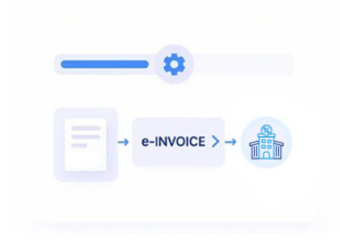
- Capture Invoice Information: Collect finalized customer, transaction, item, tax, and billing information directly from K-BOLT ERP.
- Transfer Relevant Data: Move required invoice details from K-BOLT ERP into Advintek for structured processing.
- Validate Invoice Fields: Check mapped invoice information for completeness, accuracy, and consistency before electronic processing begins.
- Prepare Electronic Invoices: Transform validated K-BOLT ERP information into structured electronic invoice data for processing.
- Process Digital Invoices: Route prepared invoices through configured electronic invoicing workflows according to applicable processing requirements.
- Track Processing Results: Return invoice responses and processing statuses for continued monitoring within connected financial workflows.
What Advintek Adds to K-BOLT ERP
Advintek adds an e-invoicing layer around K-BOLT ERP, connecting invoice data with validation, structured processing, submission workflows, and traceable digital records.
- Prepares structured electronic invoices
- Tracks processing responses
- Maintains connected invoice records
- Reduces repeated data handling
Why K-BOLT ERP Benefits From Connected E-Invoicing
- Invoice Data Continuity: Relevant billing information can move from K-BOLT ERP into electronic invoicing workflows while preserving its original transaction context.
- Reduced Manual Entry: Automated data movement helps teams avoid repeatedly copying customer, product, transaction, and invoice information between separate systems.
- Consistent Processing: Defined validation and processing stages provide a repeatable approach for handling invoices across regular finance operations.
- Better Traceability: Processed electronic invoices can remain associated with their originating K-BOLT ERP records, making transaction history easier to follow.
- Clearer Status Monitoring: Teams gain visibility into invoice processing outcomes, helping them identify issues and review responses without searching across disconnected workflows.
- Organized Digital Records: Invoice information and related processing details can remain structured, supporting easier retrieval and ongoing financial record management.
Everything You Need for Norway E-Invoicing in One Place
Live Validation Feedback
Maps relevant K-BOLT ERP invoice fields into structured electronic invoice formats for consistent processing.
Centralized Monitoring Dashboard
Checks essential invoice information before processing to identify incomplete or inconsistent transaction details.
ContinuousCompliance Support
Provides clear invoice processing statuses and responses for easier monitoring across connected financial workflows.
Why Advintek Fits K-BOLT ERP Workflows
K-BOLT ERP manages core transaction information while Advintek connects those records with structured e-invoicing workflows for validation, processing, tracking, and organized digital invoice management.
- Keeps essential K-BOLT ERP transaction information connected.
- Helps prepare invoice information for electronic workflows.
- Makes invoice outcomes easier for teams to monitor.
- Keeps processed invoices connected with originating ERP records.
Start With K-BOLT ERP
Connect K-BOLT ERP with a more organized and compliant electronic invoicing workflow.
Keep invoice processing connected and easier to manage.
Ready e-Invoice System
Frequently Asked Questions K-Bolt ERP E-Invoicing Norway
What does K-BOLT ERP contribute to an e-invoicing workflow?
K-BOLT ERP provides the underlying business and invoice information used during electronic invoice processing. Advintek can connect relevant transaction data with structured e-invoicing workflows, allowing invoice details to move through validation, preparation, submission, and status tracking while maintaining their connection with originating K-BOLT ERP records.
How does Advintek connect with K-BOLT ERP?
Advintek connects relevant K-BOLT ERP invoice and transaction information with its e-invoicing workflow. The integration can map required fields, transfer invoice information, apply validation checks, prepare structured data, and return processing information, reducing the need for teams to manually move invoice details between systems.
Can K-BOLT ERP users keep their existing invoice workflow?
Yes. The integration is designed to work around existing K-BOLT ERP processes rather than requiring teams to abandon their familiar transaction environment. Relevant invoice information can be transferred into Advintek for electronic processing while K-BOLT ERP remains the source for core business transactions.
How are K-BOLT ERP invoices tracked after processing?
Invoice processing information can be monitored through connected status workflows, allowing teams to review outcomes and identify invoices requiring attention. By keeping processing information associated with source transactions, Advintek helps K-BOLT ERP users maintain clearer visibility from invoice creation through electronic processing.
Why integrate K-BOLT ERP with an e-invoicing platform?
Integrating K-BOLT ERP with Advintek creates a connected path between business transactions and electronic invoice processing. It can reduce repeated data handling, introduce structured validation, improve invoice traceability, and provide clearer processing visibility while allowing finance teams to continue working with their existing ERP environment.