Compliance That Fits Microsoft Dynamics 365 Field Service Users
How Microsoft Dynamics 365 Field Service Handles E-Invoicing
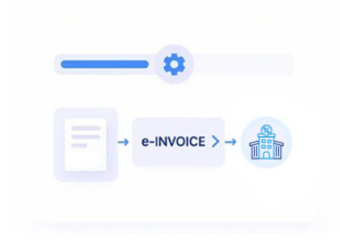
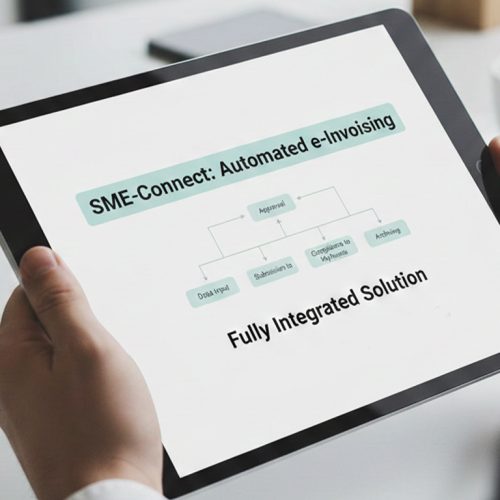
- Service Data Collection: Billable information from Field Service enters Advintek for accurate electronic invoice preparation and structured processing.
- Work Order Review: Completed service details are carefully checked before billing information moves forward through configured workflows.
- Invoice Data Assembly: Approved charges and relevant details are combined into complete electronic invoice information for further processing.
- Customer Matching: Service customer details are accurately aligned with the relevant invoice and associated records.
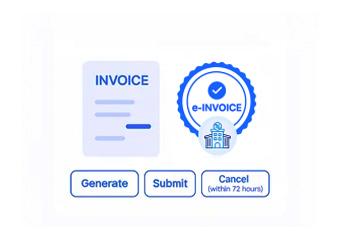
- Digital Document Exchange: Prepared invoices proceed through an applicable electronic exchange route for structured invoice processing.
- Processing Outcome Tracking: Invoice responses and document events are retained for review, follow-up, and ongoing workflow visibility.
What Microsoft Dynamics 365 Field Service Integration Adds
Microsoft Dynamics 365 Field Service manages work orders and service activities, while Advintek extends invoice-related information into electronic processing.
- Converts service billing into e-invoices
- Reviews completed work order information
- Organizes service invoice data
- Tracks electronic processing outcomes
Why Microsoft Dynamics 365 Field Service Teams Use Advintek
- Customer Context Preservation: Customer information remains associated with the service transaction as billing information progresses toward electronic exchange.
- Service-to-Invoice Continuity: Billable service information can move from Field Service activities into electronic invoice preparation without separating billing from the service process.
- Work Order Data Utilization: Details associated with completed work can contribute to invoice preparation, reducing repeated entry across service and billing activities.
- Clear Billing Assembly: Service charges and relevant invoice details are brought together before electronic document preparation.
- Better Administrative Visibility: Processing events provide teams with useful insight into service invoices after they enter electronic processing.
- Connected Service Operations: Advintek adds electronic invoicing around Field Service without changing its role in managing service delivery activities.
Complete Control Over Norway E-Invoicing Workflows in One Platform
Error Detection and Resolution Support
Review billable service information before electronic invoice preparation and exchange.
Dashboard and Reporting
Follow service invoices through preparation, exchange, and response stages.
Dedicated e-Invoicing
Support
Identify service invoices requiring additional information or administrative review.
Why Microsoft Dynamics 365 Field Service Fits Norwegian Businesses
Advintek helps service organizations turn Field Service billing information into structured Norwegian electronic invoices while preserving established work order processes.
- Retain existing Field Service workflows
- Convert service activity into invoices
- Organize billing information consistently
- Monitor electronic invoice processing
Faster Norwegian E-Invoicing With Advintek
Advintek connects service billing information with structured Norwegian invoice processing.
Keep field service operations linked to billing.
Ready e-Invoice System
Frequently Asked Questions Microsoft Dynamics e-Invoicing Norway
1. Can Microsoft Dynamics 365 Field Service billing information support e-invoicing?
Yes. Billable information generated through Microsoft Dynamics 365 Field Service can enter Advintek’s electronic invoicing workflow. Service-related charges, customer details, and invoice information can be organized for structured document preparation, followed by applicable electronic exchange and processing response handling.
2. How does Field Service work order information contribute to invoices?
Completed work order information can provide the service details needed for billing activities. Advintek can use relevant invoice-related information from the Field Service environment to assemble structured electronic invoice data, helping connect completed service work with the subsequent invoice process.
3. Can businesses keep using Microsoft Dynamics 365 Field Service for service management?
Yes. Microsoft Dynamics 365 Field Service can continue managing work orders, scheduling, service activities, and related operations. Advintek works around relevant billing information by adding electronic invoice preparation and exchange capabilities, allowing service teams to retain their established Field Service environment.
4. How are customer details handled for Field Service invoices?
Customer information associated with service activities can remain connected to the billing record during electronic invoice preparation. Advintek can organize applicable recipient information before the document enters exchange, helping preserve the relationship between the service activity, customer, and resulting invoice.
5. What happens when a Field Service invoice needs correction?
If processing identifies information requiring attention, the affected service invoice can be reviewed through the appropriate business workflow. Teams can update the necessary information and return the revised invoice data to Advintek so processing can continue through the applicable electronic invoicing stages.