What Microsoft Dynamics 365 Business Central Adds To Digital Billing
How Microsoft Dynamics 365 Business Central Invoice Data Is Prepared
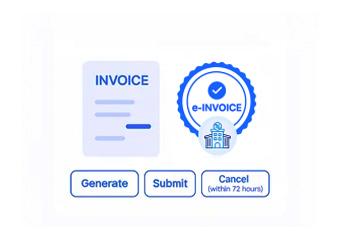
- Identify Posted Sales Invoices: Select applicable posted invoices and billing records requiring electronic processing from Business Central.
- Collect Supporting Financial Details: Gather customer, sales, tax, payment, and accounting information from associated ERP records.
- Map Business Central Information: Align relevant ERP fields with the data structure required for electronic invoice preparation.
- Verify Invoice Completeness: Check prepared invoice information for missing or inconsistent details before processing continues.
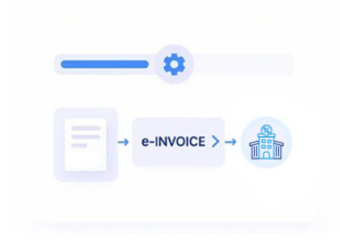
- Initiate Electronic Invoice Exchange: Route validated invoice information through configured electronic invoicing workflows for processing.
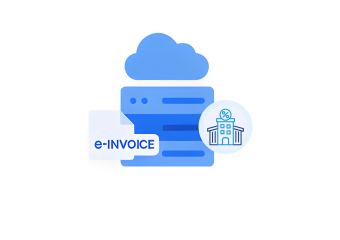
- Capture Exchange Confirmations: Record available responses and associate processing information with corresponding Business Central invoice records.
How Advintek Works With Microsoft Dynamics 365 Business Central
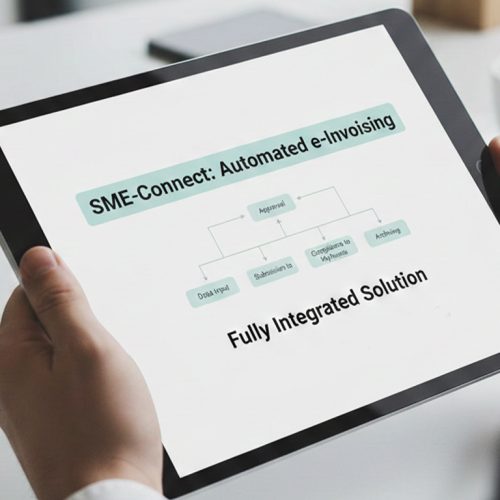
Advintek adds structured electronic invoice processing around Business Central by connecting relevant finance data with validation, invoice exchange, and response handling for Norway.
- Connects posted invoices with processing
- Structures accounting data for exchange
- Identifies gaps before invoice submission
- Records electronic exchange confirmations
Why Microsoft Dynamics 365 Business Central Supports Norwegian
- Strong Finance Foundation: Business Central combines accounting, sales, receivables, customer, and tax information that can support structured electronic invoice workflows.
- Posted Invoice Context: Posted sales invoices provide established transaction information that can serve as the source for electronic invoice preparation.
- Accounts Receivable Coordination: Receivables information can provide additional financial context when processing invoices through connected electronic workflows.
- Configurable Norwegian Processing: Advintek can configure invoice workflows around applicable Norwegian requirements and relevant considerations associated with Skatteetaten.
- Controlled Invoice Preparation: Validation can examine applicable invoice fields before electronic processing, helping identify information issues at an earlier stage.
- Accounting Record Association: Processing information can be related to Business Central invoice records, giving finance teams context for subsequent invoice review.
Microsoft Dynamics 365 Business Central Integration Capabilities
Posted Invoice Mapping
Maps relevant Business Central invoice fields into structured electronic invoice information for processing.
Financial Data Verification
Checks configured invoice fields for completeness and accuracy before electronic invoice processing begins.
Exchange Confirmation Handling
Records electronic invoice responses alongside related Business Central records for streamlined finance review.
How Microsoft Dynamics 365 Business Central Addresses Norwegian Invoicing
Business Central provides posted financial and billing information, while Advintek structures, validates, and processes applicable invoice data for Norwegian electronic invoicing workflows.
- References Posted Business Central Invoices
- Checks Norwegian Invoice Data
- Formats Information For Electronic Exchange
- Documents Invoice Exchange Responses
Activate Norwegian E-Invoicing Workflows
Connect Microsoft Dynamics 365 Business Central with structured invoicing processes designed for Norwegian finance operations.
Create a more controlled path from posted invoices to electronic exchange.
Ready e-Invoice System
FAQs About Business Central E-Invoicing In Norway
Can posted Business Central invoices enter electronic invoicing workflows?
Yes. Posted sales invoices in Business Central can provide established transaction information for electronic invoice preparation. Advintek can use applicable customer, tax, sales, and accounting details from those records to create structured invoice information and process eligible invoices through configured Norwegian e-invoicing workflows.
How does Business Central handle invoice information before posting?
Business Central manages sales, customer, accounting, and related information through its configured finance processes before an invoice becomes available for subsequent processing. Advintek can work with applicable invoice records according to the organization’s integration design and defined electronic invoicing workflow.
Can Business Central support accounts receivable alongside e-invoicing?
Yes. Business Central manages accounts receivable information as part of its financial functionality. Relevant receivables and invoice information can participate in connected electronic invoicing workflows, allowing Advintek to process applicable invoice data while Business Central continues supporting the organization’s broader accounting and receivables activities.
How can Business Central invoice data be checked before exchange?
Advintek can apply configured validation to applicable Business Central invoice information before electronic processing. Checks can identify missing, incomplete, or inconsistent fields within the prepared invoice data, helping finance teams address information issues before the invoice enters the configured electronic exchange workflow.
Can electronic invoice responses be associated with Business Central records?
Available electronic processing responses can be associated with corresponding Business Central invoice information. This provides finance teams with additional context when reviewing processing activity, investigating exceptions, or checking invoice outcomes against the posted sales and accounting records maintained within Business Central.