

Compliance That Fits Real Estate Teams Using MRI
How MRI Software Invoice Processing Works
- Capture Billing Information: Collect finalized property, customer, transaction, tax, and invoice information from MRI Software.
- Transfer Invoice Data: Move relevant MRI Software billing information into Advintek for electronic processing.
- Validate Required Fields: Check invoice details for completeness, consistency, and accuracy before processing begins.
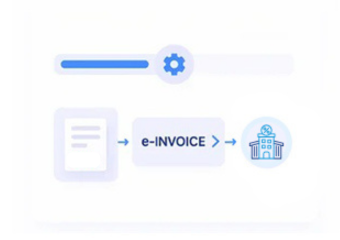
- Prepare Structured Invoices: Convert validated MRI Software information into structured electronic invoice data for processing.
- Process Electronic Invoices: Route prepared invoices through configured e-invoicing workflows for appropriate downstream processing.
- Track Processing Outcomes: Monitor invoice responses and statuses while maintaining visibility across connected financial workflows.
What Advintek Adds To MRI Software
Advintek connects MRI Software billing information with electronic invoice workflows, helping businesses structure, process, and monitor invoices through an organized digital process.
- Validates Invoice Information Against Norwegian Requirements
- Prepares Billing Data In Structured Formats
- Tracks Invoice Processing Responses Across Workflows
- Maintains Connected Invoice Records Across Systems
Why MRI Software Benefits From E-Invoicing Integration
- Connected Property Billing: Advintek transfers relevant billing information from MRI Software into electronic workflows while retaining important property and transaction context.
- Reduced Manual Entry: Automated information movement helps minimize repeated entry of customer, property, billing, tax, and transaction details during invoice preparation.
- Consistent Invoice Preparation: Configured mapping and validation help organize MRI Software invoice information before it enters electronic processing workflows.
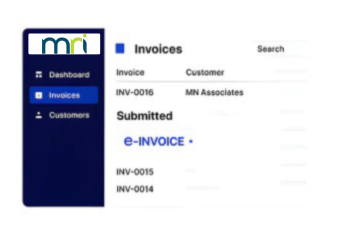
- Improved Processing Visibility: Connecting invoice statuses with originating MRI Software transactions gives teams clearer insight into processing progress and outcomes.
- Easier Invoice Review: Processing responses help users identify invoices requiring correction, review, or additional attention during regular financial operations.
- Organized Digital Information: Connected invoice records provide a structured way to retrieve, review, and maintain electronic billing information over time.
Everything You Need for Norway e-Invoicing in One Place
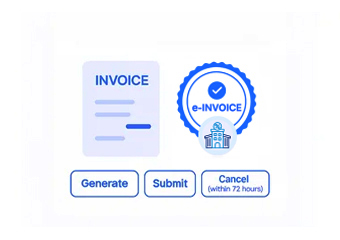
Instant Feedback on Every Invoice
Maps relevant MRI Software property and billing fields into electronic invoice structures.
One Dashboard for the Whole Portfolio
Checks essential invoice information before processing to identify incomplete transaction details.
Support That Doesn't Stop at Go-Live
Provides visibility into invoice responses and processing outcomes across connected workflows.
How MRI Software And Advintek Work Together
MRI Software manages property and financial information while Advintek connects those records with structured e-invoicing workflows for validation, processing, monitoring, and digital invoice management.
- Connects Property Billing Data With Norway Workflows
- Converts Billing Records Into Structured Invoices
- Monitors Invoice Progress Across Processing Stages
- Keeps Invoice Information Linked Across Systems
Start With MRI Software With Advintek
Connect MRI Software with streamlined electronic invoice processing.
Keep property invoice workflows easier to manage.
Ready e-Invoice System
FAQs MRI Software ERP E-Invoicing Norway
How does MRI Software support electronic invoice processing?
MRI Software manages property, customer, billing, and financial information that can support electronic invoice workflows. Advintek connects relevant MRI Software data with structured processing, helping businesses transfer, validate, prepare, process, and monitor invoices while keeping billing information associated with its originating ERP transactions.
What MRI Software data can be used for e-invoicing?
Relevant billing information may include customer details, property information, transaction data, tax fields, invoice amounts, and other required attributes. Advintek can map applicable MRI Software information into structured electronic invoice workflows, reducing repetitive data handling during invoice preparation and processing.
How does Advintek integrate with MRI Software workflows?
Advintek connects relevant MRI Software billing information with its electronic invoicing processes through configured data mapping and validation. Invoice information can move from the ERP into structured workflows for processing, while status information and responses provide greater visibility over the invoice lifecycle.
Can property billing teams track invoice processing?
Yes. Connected processing workflows can provide visibility into invoice statuses, responses, and outcomes. For teams using MRI Software, this helps associate electronic processing activity with originating property and billing transactions, making it easier to identify invoices requiring review and maintain organized processing records.
Why connect MRI Software with Advintek?
Connecting MRI Software with Advintek creates a structured route between property billing transactions and electronic invoice processing. It can reduce repetitive data handling, support consistent invoice preparation, provide processing visibility, and maintain continuity between electronic invoices and their originating MRI Software records.